Set up card payments
Let pupils pay by card when they book. It’s optional. Bank transfer still works.
- What it is
- Pupils pay by card. The money goes to your own bank through Stripe.
- How long
- About 10 minutes. Not while you’re driving.
- You need
- Your phone, your bank details and photo ID, just in case.
The steps
Open Card paymentsIn the app: More → Settings → Card payments.
Tap Set up card payments.
School owners on the web: Finance → Card payments.
It says coming soon? Your school hasn’t switched it on yet.
Create your Stripe loginStripe’s secure page opens. Make your login.
- Check your email. It’s filled in for you.
- Choose a password of 10 or more characters.
- Or tap Sign in with Google.
Tip: Keep this login safe. You’ll use it to see your payouts.
Turn on two-step loginPick how Stripe sends you a login code.
- An authenticator app: scan the code, type the 6 digits.
- Or a text message to your phone.
Tip: Write down any backup code. It gets you in if you change phone.
Answer Stripe’s questionsAbout you, your business and your bank.
The law makes Stripe ask. Yours may look a little different.
- Business type: most instructors pick Individual or Sole trader.
- About you: name, date of birth, address, mobile.
- What you do: driving lessons. No website? Just write “Driving lessons”.
- Statement name: what pupils see on their bank statement, e.g. SAM SMITH DRIVING.
- Your bank: sort code and account number.
- Photo ID, if Stripe asks.
Tip: Had to stop? Tap Finish setting up later to carry on.
Check your statusNot set up, Finish setting up, or Ready.
Stripe sends you back to the app.
Not set up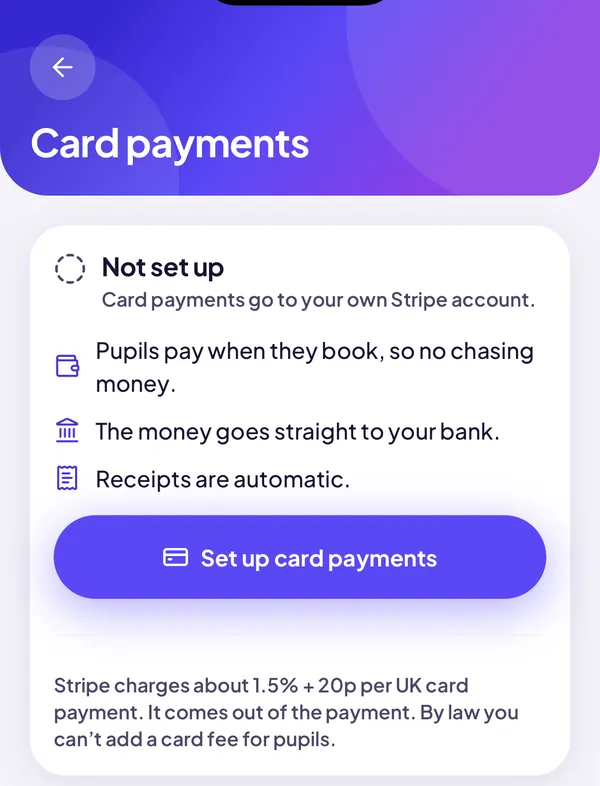
Not started yet. Finish setting up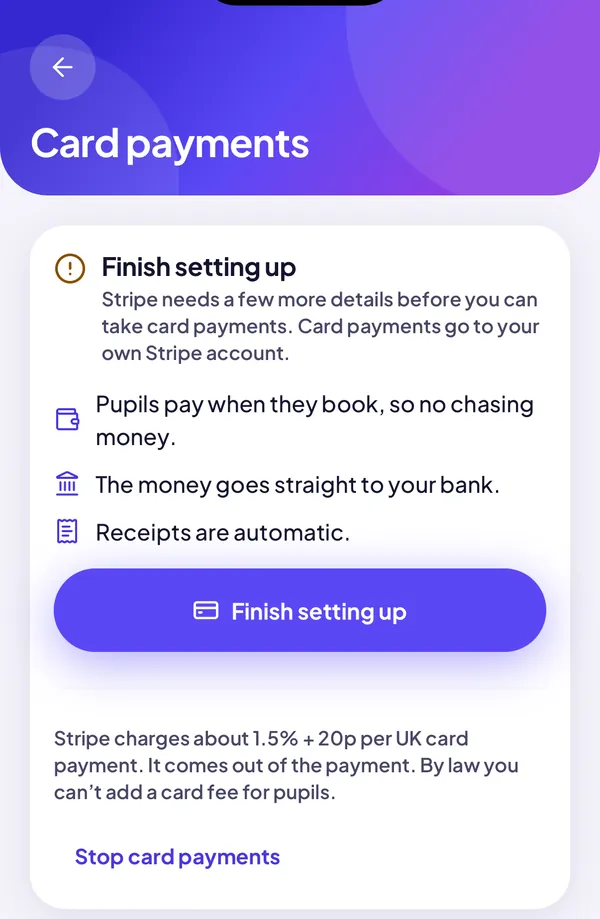
Stripe needs more details. Ready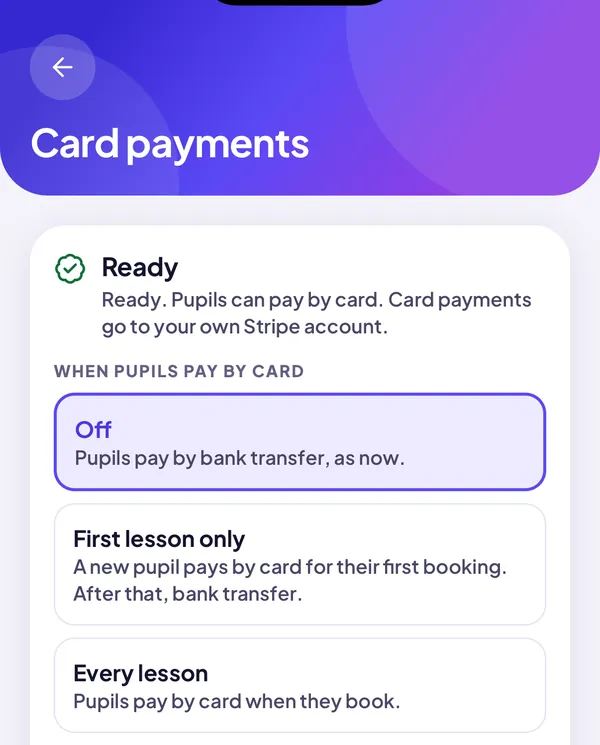
All done. Still Finish setting up? Stripe may take a few minutes. Open it again later.
Choose when pupils pay by cardOff, First lesson only, or Every lesson.
- Off
- Bank transfer, as now.
- First lesson only
- New pupils pay by card once.
- Every lesson
- Pupils pay by card when they book.
Change it any time. Cash and bank transfer still work.
What your pupils seeThey book, pay, and it’s in your diary.
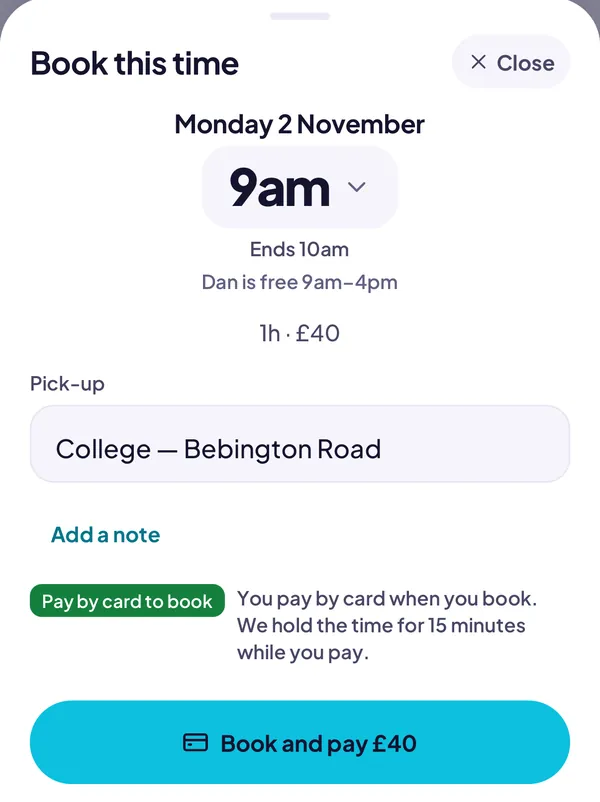
They tap Book and pay. 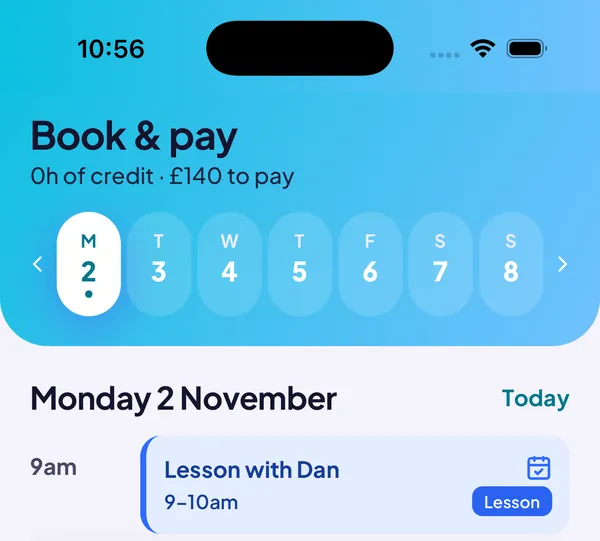
Paid, and it’s booked. - We hold the time for 15 minutes while they pay.
- Once paid, it’s booked. Stripe emails the receipt.
- Lessons you book don’t need paying up front.
If your school takes lesson money itself (rare)The owner sets up one school Stripe. You don’t.
Card money normally goes to each instructor’s own Stripe. That’s the default at every school.
A few schools take lesson money themselves. Then the owner sets up one school Stripe account on the web. Instructors don’t set anything up.
Owners: Finance → Card payments, choose The school’s Stripe, then follow steps 2 to 5.
Good to know
When does the money arrive?
Straight to your bank. The first payout takes about a week. Then it’s regular. See it all at dashboard.stripe.com.
What does Stripe charge?
About 1.5% + 20p per UK card, about 80p on a £40 lesson. It comes out of the payment. No fee goes to your school or to us. By law you can’t add a card fee for pupils.
How do refunds work?
Cancel a card-paid lesson and the money becomes credit. We then ask: Refund to card or Keep as credit. You can still tap Refund on the lesson later. Always refund in the app, not in Stripe.
Do I need a limited company?
No. Sole traders are fine.
Is it safe?
Yes. Pupils type their card on Stripe’s secure page. We never see card numbers.
What about tax?
Nothing changes. It’s your lesson income. Stripe’s reports help with your tax return.
Can I turn it off?
Yes, any time. Set it to Off, or tap Stop card payments. Your Stripe account stays yours.
I stopped halfway through.
That’s fine. Open Card payments and tap Finish setting up.
Who can help?
Your school, or More → Send feedback in the app.
New to the app? Read how the app works.
Questions? Message Phil, or use Send feedback in the app. · Sign in to the school portal